
Upload polaroids
Polaroids are four featured photos in Gallery that show your natural look. They are not separate files. You pick approved gallery images for four fixed slots: Face & Neck, Portrait, Side View, and Full Height.
What polaroids are
Polaroids are simple, natural photos without heavy makeup, editing, or special lighting. They help agencies and clients see your true appearance.
In Delora, polaroids are slot assignments in Gallery. Each slot points to an existing gallery photo. Upload portfolio images first, then assign polaroids.
Before you start
Polaroids require a Lite or Pro plan. Add portfolio photos to Gallery first — slots pull from approved gallery images.
Use natural daylight, minimal or no makeup, plain clothing, and no filters or retouching.
- Natural daylight
- Minimal or no makeup
- Plain clothing
- No filters or retouching
- Clear front, side, and full-length photos
The four slots
Delora defines four polaroid slots. Each slot accepts one gallery photo. The same photo cannot fill two slots.
Face & Neck
Straight-on face and neck, hair pulled back if possible, neutral expression, even light, no filters.
Portrait
Head and shoulders, slight angle is fine. Show skin texture and proportions scouts expect in digitals.
Side View
Profile or three-quarter side view. Keep posture natural so agencies can read your bone structure.
Full Height
Full-length shot head to toe. Simple outfit, flat shoes, minimal styling. This is a reference, not a test shoot.
Fill slots in Gallery
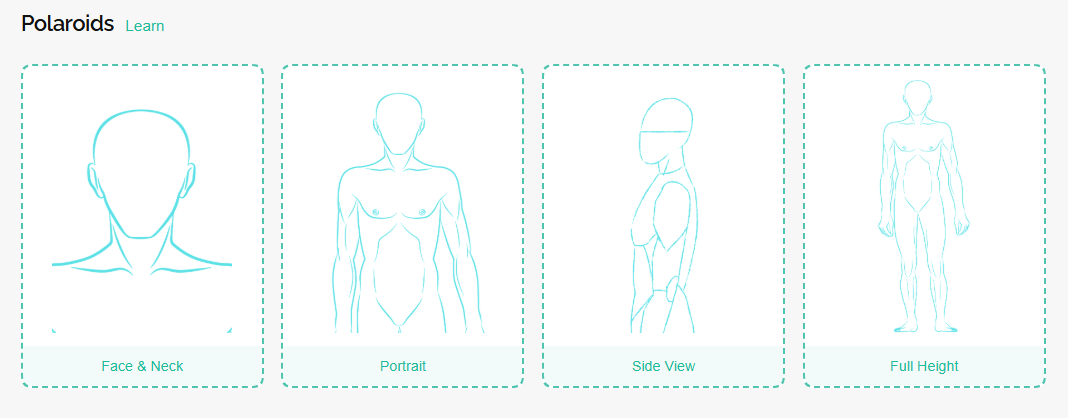
In the mobile app, open Gallery and select the Polaroids collection. Tap a slot, pick a photo, and confirm.
On the web dashboard, expand Polaroids above the gallery grid. Click a slot to pick from your gallery, or upload a new photo first and assign it after approval.
To change a slot, pick a different photo or clear it with the remove control.
Where polaroids are used
Filled polaroid slots appear in the Polaroids area of Gallery.
When you generate a PDF portfolio, use the Polaroids button to include saved slot images.
Polaroids do not replace your main gallery or Website photo settings. They are for digitals organization and PDF casting packs.
What to do next
Aim to fill all four slots with natural, approved gallery photos that match each slot type.
Continue with Set your measurements if you have not added body measurements yet. When your gallery, polaroids, and profile are ready, configure public photos in Website.
