
Create your account
A Delora model account is your entry point to the dashboard, portfolio, bookings and payouts. This guide walks you through registration with email or Google, verification, and the first security checks we recommend before you continue setup.
Before you sign up
Use an email address you check regularly. We send verification links, booking alerts and billing notices there. If you plan to work under a stage name, you can still register with your personal email and add your public profile name later.
You must be at least 18 years old to create a model account. You can register with email and password or with Google.
Before you use Delora, we strongly recommend reading the Terms of Service and Privacy Policy. They explain what you agree to when you create an account and how we handle your data.
Create your account
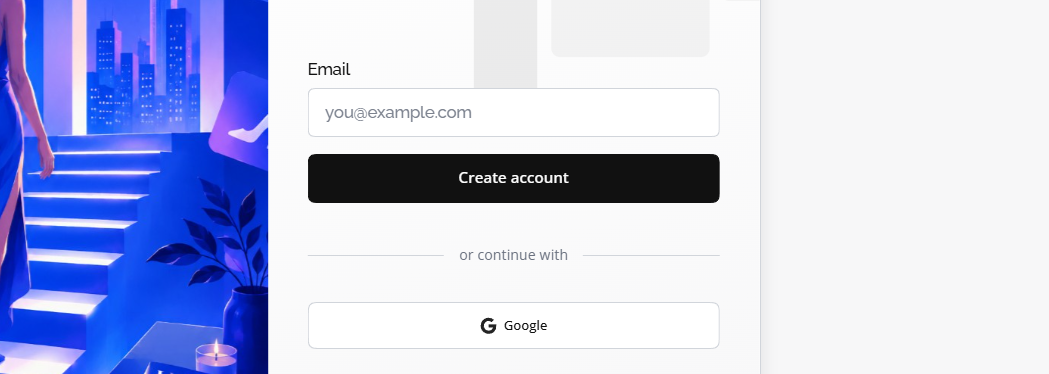
Open the Delora sign-up page and choose For models. Enter your email, create a and accept the terms that apply to your region.
After you submit the form, we send a verification email. The link expires after 24 hours; you can request a new one from the sign-in screen if needed.
- Use a you do not reuse on other sites
- Check spam or promotions folders if the email does not arrive within a few minutes
- Complete verification before continuing to profile setup
Sign up with Google
On the sign-up screen, accept the Terms of Service, Privacy Policy, and Refund Policy, then choose Continue with Google.
You sign in to Google in your browser and return to Delora to finish phone, profile, and plan setup. Your name and email come from your Google profile.
- Use a Google account you check regularly — booking alerts and billing notices go to that email
- You do not set a password during Google sign-up; add one later under Settings → Security if you want a backup sign-in method
- Google sign-up does not require a separate Delora verification email
Verify your email
Click Verify email in the message from Delora. Your browser opens a confirmation screen and you are redirected to sign in.
Until your email is verified, some dashboard areas stay locked, including publishing your profile and receiving booking requests. This step applies to email sign-up only; Google sign-up skips it.
First sign-in and next steps
Sign in with the email and password you registered, or with Google if you used that method. You land on the onboarding checklist, which guides you through profile basics, portfolio uploads and availability.
When you are ready, continue with Set up your model profile and the other Getting started articles in this category.
